Installing the F1 Go App
Download and install from the Google and Apple app stores; set password and login.
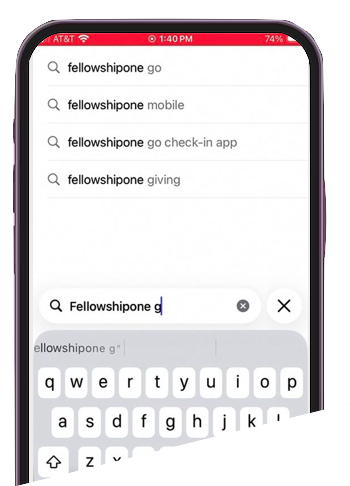
1) In the Google Play or Apple App Store, search for the app:
"fellowshipone go"
"fellowshipone go"
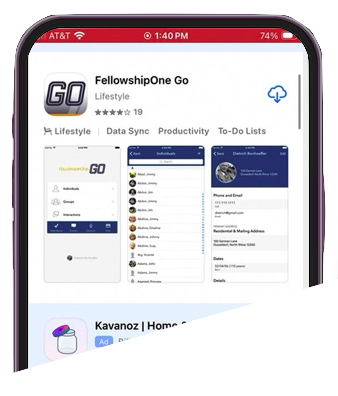
2) Download and install the FellowshipOne Go app.
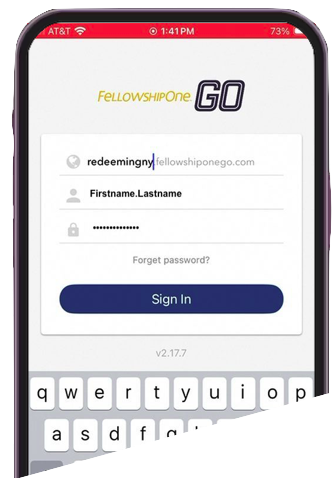
3) Launch the app and enter the domain (redeemingny.fellowshiponego.com), your login and your password. Your username will be your first name, a period and then your last name (Firstname.Lastname)
4) If you don't remember your password, or you are signing in for the first time, select Forgot password? on the app sign-in screen. Enter your username to send a password reset email.
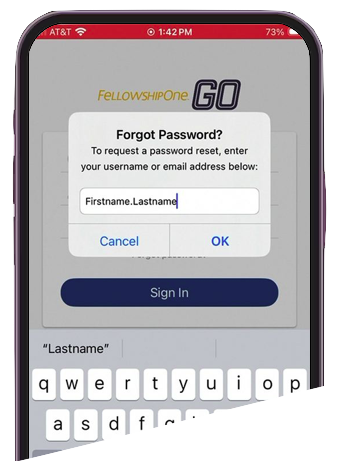
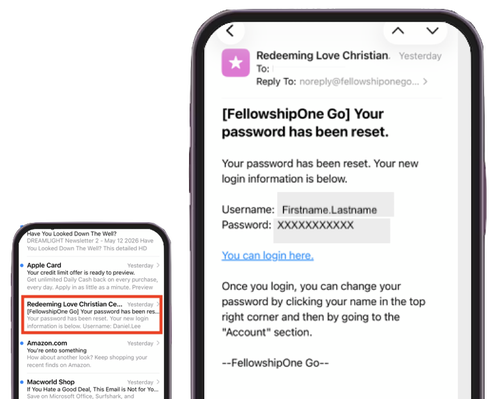
5) You will receive an email that will confirm your username and provide your new password.
If there are problems with any of these steps, please call the church at 845-623-9300 Tuesday through Friday during business hours.
If there are problems with any of these steps, please call the church at 845-623-9300 Tuesday through Friday during business hours.